
Running a successful gym is about more than just exceptional workouts and personal training sessions. Streamlining your operations can make all the difference for both your team and members. That's where gym management software comes in. From scheduling classes and tracking memberships to handling payments, gym software simplifies the behind-the-scenes work so you can focus on growing your fitness business.
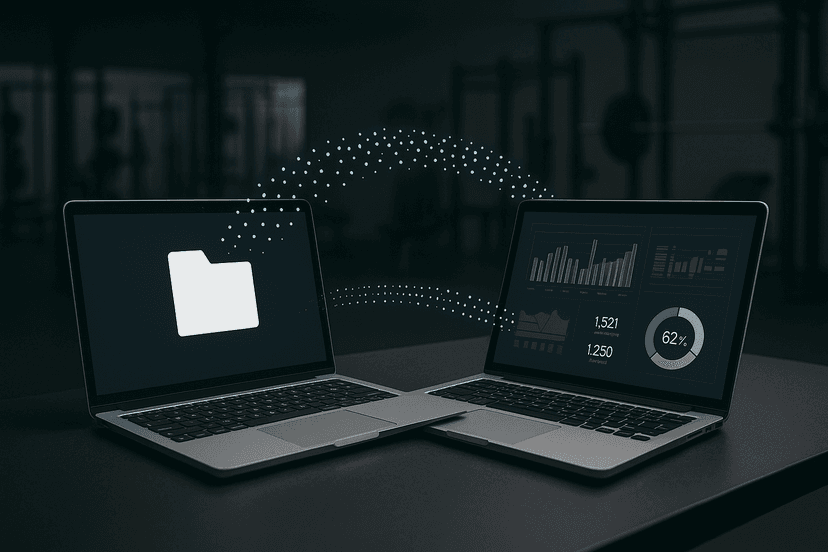
But introducing new fitness software is no small feat. Without the right planning and execution, your team might struggle with the transition, causing disruptions that negatively impact your members' experience. That's why this guide is here—to help you understand how to implement gym membership software effectively, with clear steps to ensure a seamless process, from training your staff to migrating old systems. For businesses transitioning from manual processes, learning about data migration best practices is essential.
If you're ready to level up your gym's efficiency and experience, keep reading to learn how you can successfully integrate gym management software into your operations.
Why Gym Management Software Is a Game Changer
Before we jump into the nitty-gritty of training and deployment, it's essential to understand why gym management software is crucial for fitness businesses of all sizes. According to industry data, fitness businesses using comprehensive management software report substantial improvements in operational efficiency and increased member retention rates.
Key Benefits of Fitness Software:
-
Streamlined Operations: Automate time-consuming manual tasks like class bookings, check-ins, and billing. Studies show that gyms spend significant time weekly on administrative tasks that can be automated, freeing up valuable time for member engagement and business growth.
-
Improved Member Experience: Offer members easy-to-use mobile apps to schedule classes, pay fees, and track their fitness goals. Research indicates that most gym members prefer self-service options for booking and payments, leading to higher satisfaction scores.
-
Detailed Analytics: Leverage real-time performance insights with customizable reports on attendance, revenue, and membership growth to make data-driven decisions. Gyms using analytics-driven software see substantially better financial performance compared to those relying on manual tracking.
-
Scalable Solutions: Whether you operate a small studio or a multi-site gym, quality fitness software grows with you. Multi-location fitness businesses report significantly faster expansion times when using centralized management systems.
-
Enhanced Administrative Control: Centralize employee schedules, manage workloads efficiently with role-based access controls, and reduce logistical headaches. Proper staff management through software greatly reduces scheduling conflicts.
The Cost of Not Implementing Software
Without proper gym management software, fitness businesses face significant challenges:
-
Revenue Leakage: Manual billing processes can result in significant revenue loss due to missed payments, billing errors, and administrative oversights.
-
Member Churn: Poor booking experiences and inconsistent communication lead to higher churn rates.
-
Staff Inefficiency: Administrative burden can consume substantial staff time that could be better spent on member service and retention activities.
-
Compliance Issues: Manual record-keeping increases the risk of data protection violations and audit failures, potentially resulting in costly fines.
With so much to gain, implementing software isn't just an option; it's a necessity in today's fitness industry. Now, let's explore how to do it right.
Step 1: Preparing for Success with Staff Training
Good gym software is only as good as the team using it. Properly training your staff ensures that your investment in software yields maximum returns. Research shows that businesses with comprehensive staff training programs experience faster software adoption and fewer user errors during the transition period. Effective staff training methodologies can significantly accelerate your implementation timeline.
Start with a Clear Training Plan
- Map Out Responsibilities:
Educate every team member on how the software will impact their specific roles. For example, front desk staff may need to master member check-ins using QR codes, while personal trainers might focus on appointment scheduling features. Create detailed role-specific training modules that address daily workflows, from membership enrollment to payment processing with Stripe integration.
- Offer Hands-On Experience:
Create opportunities for staff to test the software in a low-risk environment. Use demo accounts or sandbox systems to get them comfortable before going live. Allocate at least 10-15 hours of hands-on practice time per staff member to ensure confidence and competency.
- Provide Ongoing Support:
Software can evolve with updates, so ensure continuous training for your staff to stay equipped with the latest features. Establish monthly training sessions to cover new functionalities and best practices.
Develop Competency-Based Training Modules
Structure your training program around specific competencies:
-
Basic Navigation: Understanding the dashboard, menu systems, and core features like member management and scheduling
-
Member Services: Processing new memberships, handling cancellations, managing member profiles, and utilizing the mobile app features
-
Financial Operations: Processing payments, handling refunds, generating financial reports, and managing membership billing cycles
-
Analytics and Reporting: Accessing performance dashboards, generating custom reports, and interpreting key metrics for business decisions
-
Administrative Functions: Managing staff schedules, handling documents, and utilizing role-based access controls
Engage Your Team Early
Introducing gym management software can sometimes cause resistance to change. Here's how to reduce pushback:
-
Highlight the software's benefits, such as lighter workloads and fewer manual errors. Share specific examples like automated billing reducing payment collection time by 75%.
-
Allow your team to provide feedback during the selection process to encourage buy-in. Include staff in software demonstrations and evaluation meetings.
-
Identify a software "champion" on your team who can act as a knowledgeable resource for others. This person should receive advanced training and serve as the primary liaison with the software provider.
-
Create incentives for successful adoption, such as recognition programs or performance bonuses tied to software proficiency milestones.
Training Timeline and Milestones
Implement a structured timeline for training rollout:
-
Week 1-2: Management and key staff receive comprehensive training on all system features
-
Week 3: Department-specific training sessions for front desk, trainers, and administrative staff
-
Week 4: Hands-on practice sessions and competency assessments
-
Week 5: Soft launch with close supervision and immediate feedback collection
-
Week 6+: Full implementation with ongoing support and refresher training as needed
FineGym's intuitive interface and comprehensive role-based permission system makes training straightforward. Staff members only see the features relevant to their responsibilities, reducing overwhelm and streamlining the learning curve. The platform's built-in help system and video tutorials provide additional support for continuous learning.
Step 2: Creating a Solid Deployment Plan
Transitioning to new gym software requires thoughtful planning to avoid unnecessary downtime or hiccups. A well-structured deployment ensures consistency and a smooth rollout that doesn't impact daily operations.
Outline Your Deployment Timeline
- Pre-Deployment Prep:
Communicate your rollout plan with your staff and members. Identify the goals and outcomes you want to achieve with the software.
- Soft Launch:
Consider deploying the system in phases to a small segment of your audience (e.g., one location or select staff) for testing before going company-wide.
- Go Live:
When you're confident everything's in place, announce the official launch to your staff and customers. Make it an exciting event, framing it as a benefit to the community.
Test Thoroughly Before Launch
Run a pilot program to test the software in a live environment. This will allow you to:
-
Catch any system bugs or inefficiencies early.
-
Gather user feedback to make adjustments.
-
Train staff using real-life scenarios.
FineGym simplifies the deployment process with a modern React-based interface built on Tailwind CSS that works across devices, ensuring your staff can quickly adapt to the new system.
Step 3: Smoothly Migrating Data and Systems
Data migration is one of the most critical aspects of implementing gym membership software. Ensuring all relevant information is successfully transferred (without errors) can prevent operational disruptions and maintain member satisfaction. Statistics show that many software implementation failures are attributed to poor data migration practices, making this step crucial for success.
Comprehensive Data Migration Strategy
Successful data migration requires a systematic approach that addresses every aspect of your current system:
Data Migration Checklist
- Gather and Audit Current Data:
Before migrating, consolidate all membership and business data from old systems. Review and clean up outdated or duplicate information to avoid clutter in the new software. Industry best practices suggest dedicating a significant portion of your implementation timeline specifically to data preparation and cleaning activities.
- Prioritize Key Data:
Focus on critical data like membership history, payment information, booking records, and contact details. Categorize data by importance: Essential (active member profiles, current memberships, outstanding payments), Important (class attendance history, staff records), and Nice-to-have (archived member data, old promotional campaigns).
- Data Validation and Quality Assurance:
Implement rigorous validation procedures to ensure data integrity. Create validation rules for email formats, phone numbers, membership status consistency, and payment history accuracy. Run automated checks to identify inconsistencies before migration begins.
- Testing Migrated Data:
Conduct test runs during migration to ensure accuracy. Spot-check key records for errors and make adjustments as needed. Perform end-to-end testing with sample data sets representing different member types, membership plans, and payment scenarios.
- Backup Everything:
Always maintain a secure backup of your pre-migrated data to mitigate unexpected issues. Create multiple backup points: pre-cleaning, post-cleaning, and post-migration backups to ensure data recovery options at every stage.
Migration Timeline and Risk Management
Plan your migration with careful consideration of business operations:
-
Phase 1 (2-3 weeks): Data extraction, cleaning, and preparation from existing systems
-
Phase 2 (1 week): Test migration in sandbox environment with sample data
-
Phase 3 (1-2 days): Full production migration during low-activity periods (typically weekends)
-
Phase 4 (1 week): Validation, testing, and issue resolution with parallel system operation
Common Migration Challenges and Solutions
-
Data Format Incompatibilities: Work closely with your software provider to map data fields between systems and handle format conversions
-
Historical Payment Records: Ensure Stripe integration properly handles existing payment methods and billing histories
-
Member Profile Completeness: Use migration as an opportunity to collect missing member information and update outdated records
-
Class and Schedule Continuity: Maintain booking integrity by carefully mapping class schedules, instructor assignments, and member reservations
FineGym's comprehensive data structure accommodates detailed member profiles, membership plans, class schedules, and payment records, ensuring a smooth transition from your previous system. Our dedicated migration support team provides assistance throughout the process, including data mapping, validation testing, and post-migration verification to ensure 100% data accuracy.
Step 4: Engaging Your Gym Members
Your software doesn't just impact your staff; it transforms the experience for your members as well. Engaging them early will lead to smoother adoption.
Introduce Members to New Features & Benefits
- Highlight the Mobile App:
FineGym's dedicated member mobile app offers convenient features like class booking, membership management, and QR code check-ins. Demonstrate these benefits to your members.
- Share Tutorials:
Use video walkthroughs, emails, and in-gym posters to show members how they can access and use the new system.
- Gather Feedback:
Actively listen to feedback to identify any hiccups or confusion members experience and address those quickly.
Making your members feel informed and valued will ensure they see the software as an enhancement, not a hassle.
Key Considerations When Selecting Gym Management Software
Not all software is created equal. When choosing the right gym software for your business, be sure to explore solutions that offer comprehensive features that address your specific operational needs. According to industry surveys, most gym owners who carefully evaluate software features before implementation report higher satisfaction rates and faster ROI realization.
Essential Features for Comprehensive Gym Management
-
Comprehensive membership management with flexible plan options, automated renewals, and family/corporate membership handling
-
Robust scheduling tools for classes, personal training appointments, and facility bookings with real-time availability updates
-
Secure payment processing with Stripe integration, automated billing, and multiple payment method support including mobile payments
-
Member mobile app with self-service features including QR check-in, class booking, payment history, and workout tracking
-
Role-based access controls for staff security, ensuring appropriate data access and operational permissions
-
Advanced analytics and reporting capabilities for tracking KPIs, member engagement, revenue analysis, and business forecasting
-
Document management system for storing contracts, waivers, certifications, and member communications
-
Multi-location support with centralized management for gym chains and franchise operations
-
Integration capabilities with popular fitness tracking apps, marketing platforms, and accounting software
Return on Investment Considerations
When evaluating gym management software, consider the financial impact:
-
Initial Implementation Costs: Factor in software licensing, setup fees, training costs, and potential system downtime
-
Operational Savings: Calculate time savings from automation, reduced manual errors, and improved staff efficiency
-
Revenue Enhancement: Consider increased member retention, improved collection rates, and upselling opportunities through data insights
-
Long-term Scalability: Evaluate how the software will support business growth and expansion plans
Understanding the complete ROI of gym management software helps justify your investment and set realistic expectations for returns.
Comprehensive gym management software can deliver meaningful returns through operational efficiency gains, improved member experience, and better retention.
FineGym is a top-rated solution that checks every box, offering seamless tools for fitness studios, gyms, and multi-location operations. From class scheduling to detailed analytics, FineGym ensures your software works as hard as you do. Our platform's modular design allows you to implement features gradually, ensuring smooth adoption while maximizing immediate benefits.
Start Your Gym's Transformation Today
Implementing gym management software doesn't have to be a daunting task. By prioritizing thorough staff training, a phased deployment, smooth data migration, and strong member engagement, you can ensure your transition is seamless and successful. The key to success lies in careful planning, systematic execution, and ongoing support throughout the implementation process.
Your Implementation Success Checklist
Before beginning your software implementation journey, ensure you have:
-
Clear objectives and success metrics defined for your software implementation
-
Dedicated implementation team with representatives from key departments (management, front desk, training staff)
-
Realistic timeline allowing adequate time for training, testing, and gradual rollout
-
Budget allocation for training, potential temporary staffing, and contingency planning
-
Communication plan for keeping staff and members informed throughout the transition
-
Support structure established with your software provider for troubleshooting and ongoing assistance
Long-term Success Strategies
Your implementation doesn't end at go-live. Ensure long-term success by:
-
Regular performance reviews to assess software utilization and identify optimization opportunities
-
Continuous training programs to keep staff updated on new features and best practices
-
Member feedback collection to understand how the software impacts their experience
-
Data-driven decision making using analytics to improve operations and member satisfaction
-
Staying current with software updates and industry best practices
Remember, successful gym management software implementation typically takes 4-8 weeks from start to full adoption, but the benefits—improved efficiency, enhanced member experience, and increased profitability—last for years to come.
If you're ready to streamline your gym's operations, improve member satisfaction, and scale your fitness business with ease, start with FineGym. Our comprehensive platform offers everything you need: member management, scheduling, QR check-in, Stripe payment processing, mobile app, advanced analytics, document management, and staff management tools.
Ready to transform your gym operations? Book a demo to see FineGym in action, or start your free trial today to experience how our fitness software can give your gym a competitive edge.